Small business health checks are being updated. New purchases are paused while we prepare updated versions of these assessments. Register your interest and we’ll let you know as soon as they are available.
Small Business
Cyber Security Health Check
1 in 5 small businesses don't survive a cyber attack. Find your gaps before attackers do.
In about an hour, see exactly where you're exposed, turn your gaps into a prioritised action plan you can track, and get a professional report you can show your insurer, regulator, or clients — no IT knowledge needed.
Why You Need This
Small businesses are increasingly targeted — and most don't have the resources to recover. The Privacy Act requires you to take "reasonable steps" to protect personal information, with penalties up to $50 million for serious breaches. Customers and suppliers expect security too. This health check shows you exactly where you're vulnerable and what to fix first—in plain English, without technical jargon.
What You Get
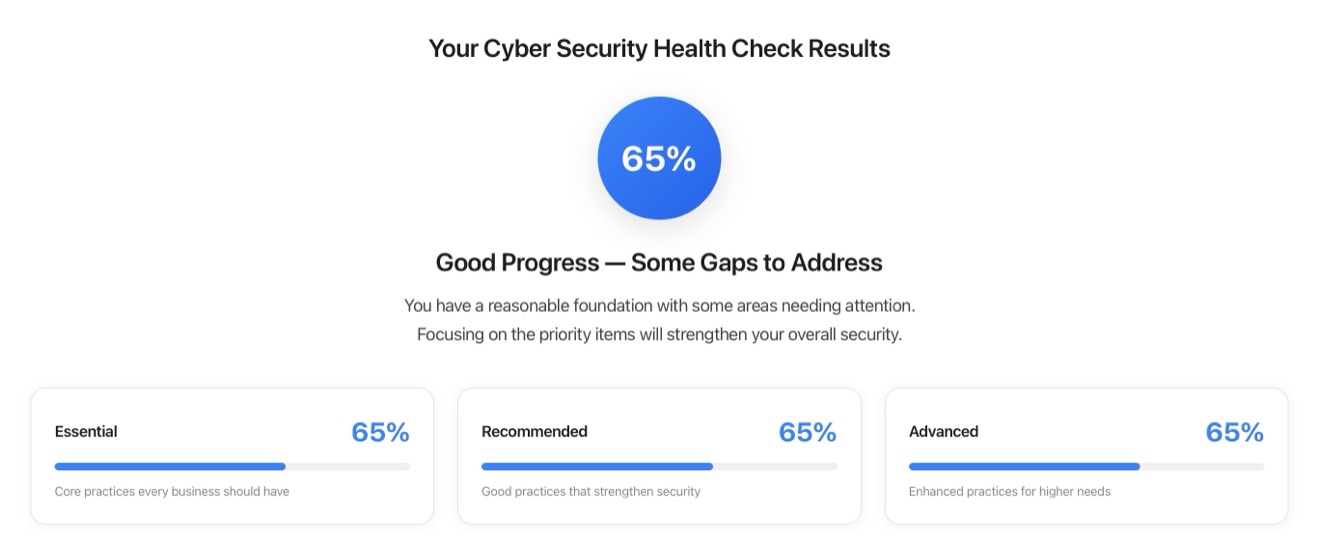
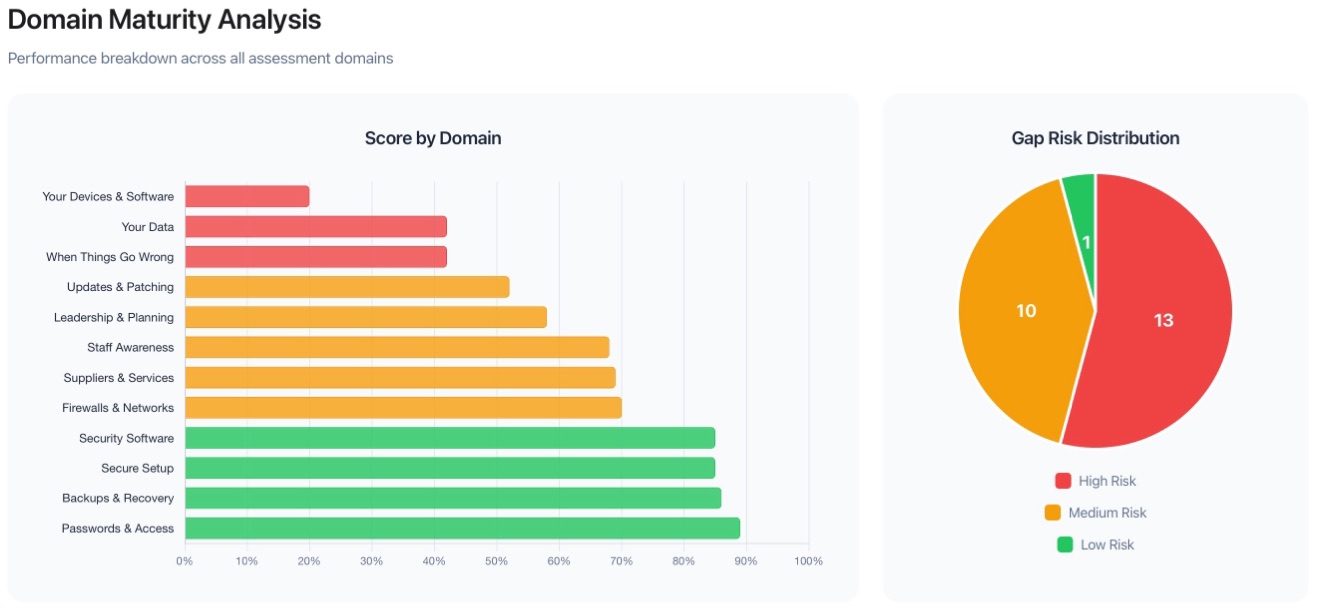
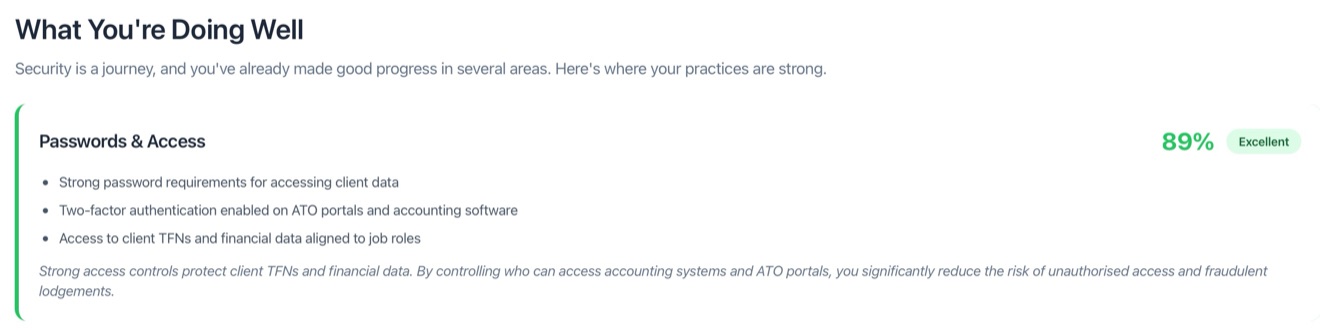
What your results look like
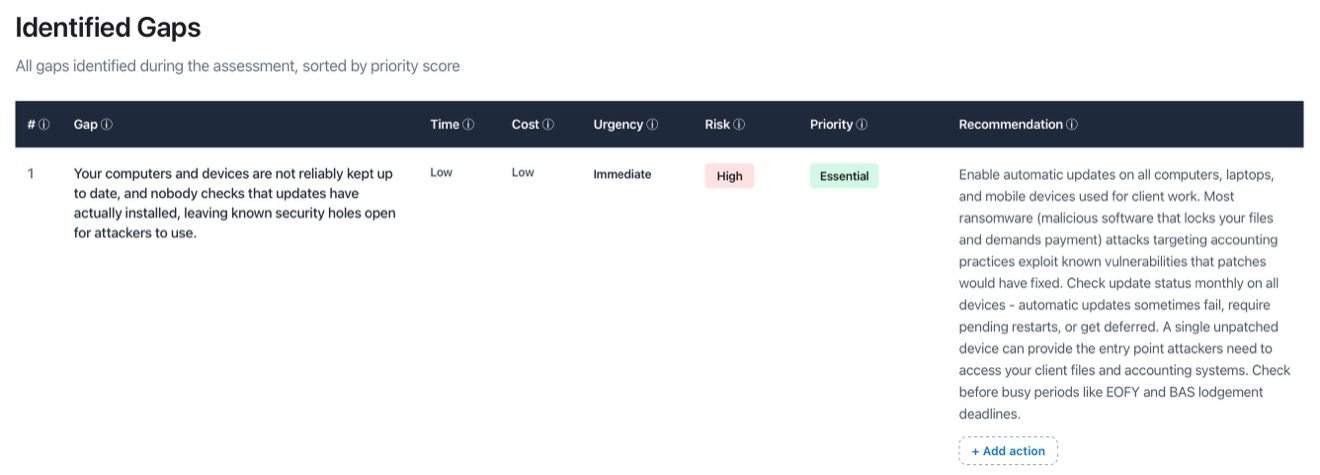
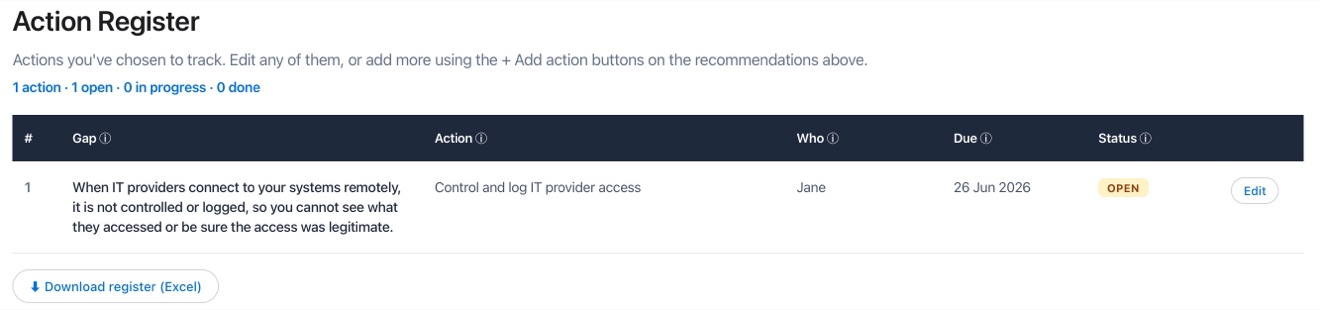
Finish in about an hour and you get a clear overall score, a breakdown across every security domain, and every gap turned into a prioritised action plan you can track and export. (Example output.)
What You Receive
Every assessment generates a comprehensive report. Download a sample below.
Summary Report
Plain-English findings with scores, prioritised improvement plan, risk associations, and resources
Download SampleHow It Works
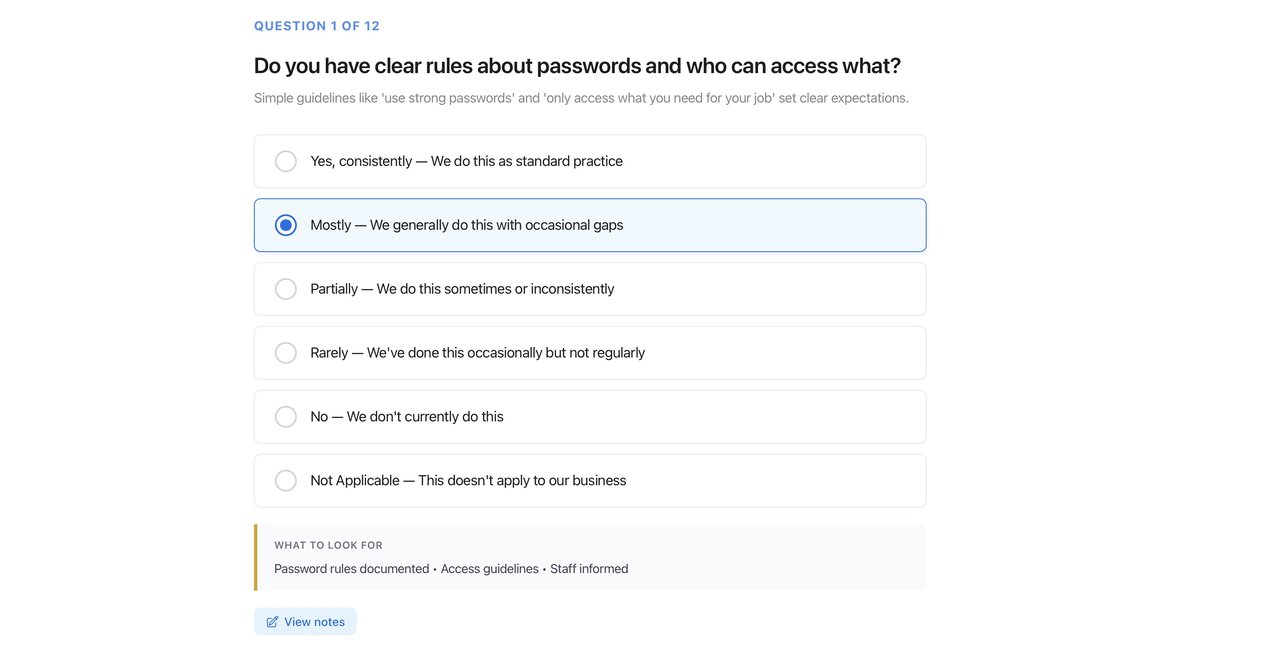
Open the HTML file in your browser, answer the questions, download your report. About 60 minutes. No technical knowledge required—the questions are written in plain English for business owners, not IT professionals. Progress saves automatically.
Your Data Stays Private
Everything runs locally in your browser. Nothing is sent to us or anyone else.
Who Is This For?
Any small business owner, operator, or manager who wants to understand their cyber security posture. Retailers, trades, professional services, hospitality, manufacturing—if your industry isn't covered by one of our specialised health checks, this general assessment covers the security fundamentals that matter for every business. No IT background needed.
Looking for your industry?
Accounting · Bookkeeping · Legal · Financial Planning · Mortgage Broking · GP Clinics · Allied Health · Real Estate · Childcare · NDIS Providers
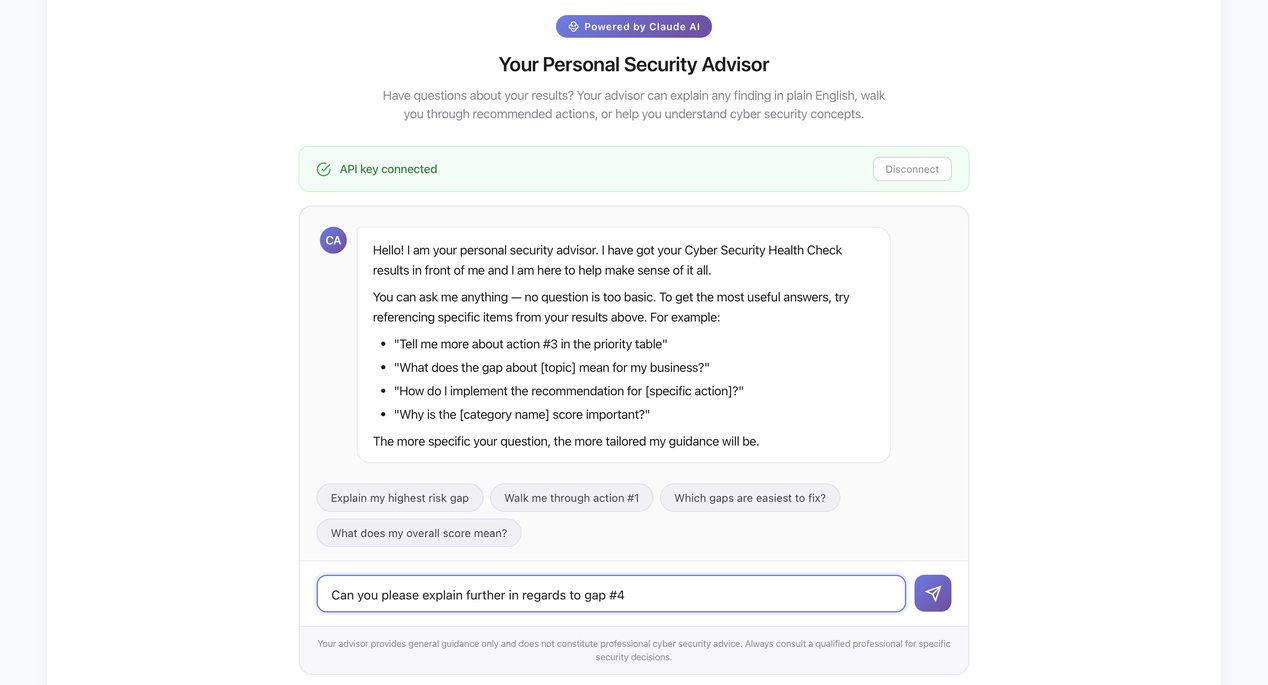
Your Assessment Includes a Personal AI Security Advisor
Two AI assistants are built into the tool — one to help you during the assessment, one to help you make sense of your results. Like having a security professional on call.
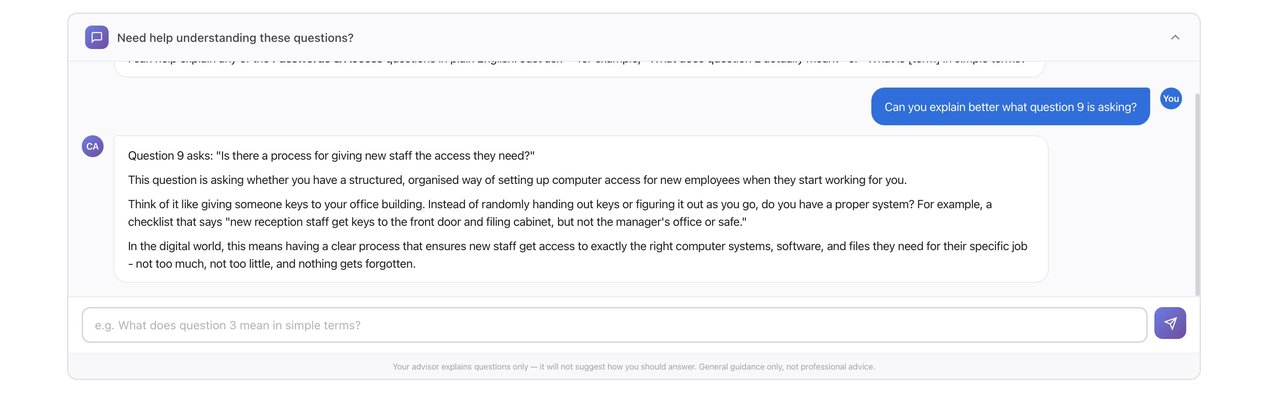
Not sure what a question is asking? Just ask.
Every question in the assessment has an AI helper built in. Tap it and ask anything — "What does this question actually mean?", "Can you give me an example?", "Why does this matter for my business?" — and you'll get a plain-English explanation instantly.
- ✓ Explains technical concepts in everyday language
- ✓ Gives real-world examples relevant to your industry
- ✓ Never suggests how to answer — just helps you understand
- ✓ No technical background required to complete the assessment
Available the moment you see your results.
Once your results are in, an AI security advisor can answer any question about what they mean — in plain English, like talking to a security professional. It can even draft a phased action plan from your specific gaps — what to fix first, next, and over time.
- ✓ "Explain my highest risk gap in simple terms"
- ✓ "Walk me through how to fix action #3"
- ✓ "Which gaps are easiest to fix myself?"
- ✓ Ask anything — your advisor knows your specific results
Get the Small Business Cyber Health Check
Common Questions
Why do small businesses need a cyber security health check?
What does the Small Business Health Check cover?
How long does it take and what do I need?
What do I receive at the end?
Further Reading
Resource
What Actually Happens When a Small Business Gets Hacked
The real costs, downtime, legal obligations, and recovery timeline of a cyber incident — and why 1 in 5 small businesses don't survive one.
Read the guide